


Company/Employee, then Company Structure, decides who approves what. Set it up once and every request goes to the right person automatically.
Set up a team
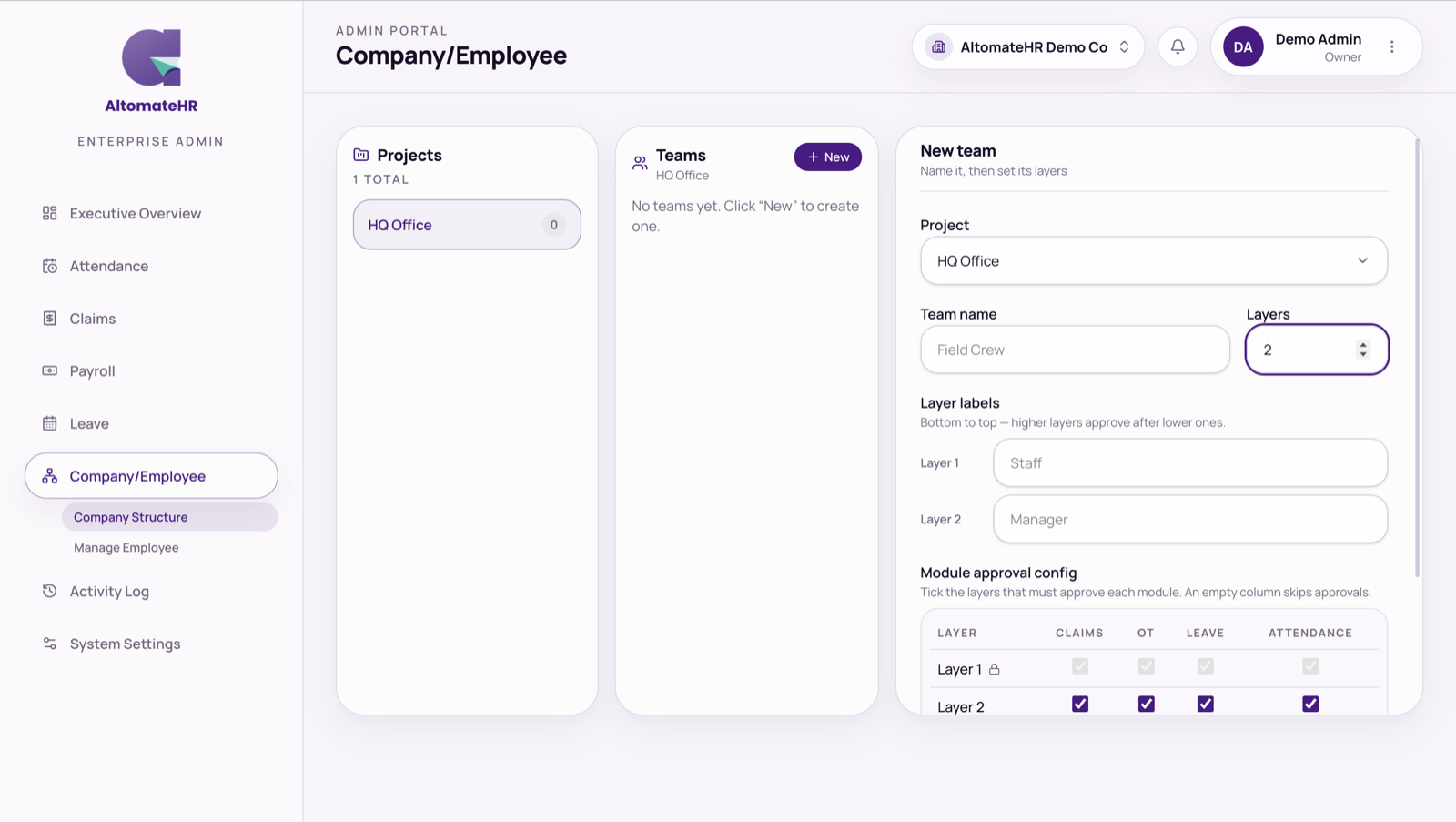
- Pick a project, then a team. Or press New to create a team in the selected project.
- Set the layers. Choose 1 to 6 levels and label each one, for example Staff, Supervisor, Manager.
- Tick who approves each module. For Claims, OT, Leave and Attendance, tick which layers must approve. A request climbs from the person’s own level up through each ticked layer.
- Add members. Add each employee at their level. People with the Employee role go in the bottom layer.
You can also place someone from their own record: Company tab, then Add a project.
Things to know
- Owners and admins aren’t approvers. They’re never put in an approval chain. If a request has no one who can approve it, the admin portal flags it as Nobody can approve so you can fix the team.
- Deleting a team asks you to confirm. Its members are unassigned and their claims and leave stop routing through it.
- Supervisors approve from the employee app. See How to Approve Your Team’s Requests.
Common questions
Why can’t I approve a claim or leave from the admin portal?
Approvals belong to the supervisors in Company Structure. The admin portal shows who each request is waiting on. If it says Nobody can approve, add an approver to that person’s team.


