


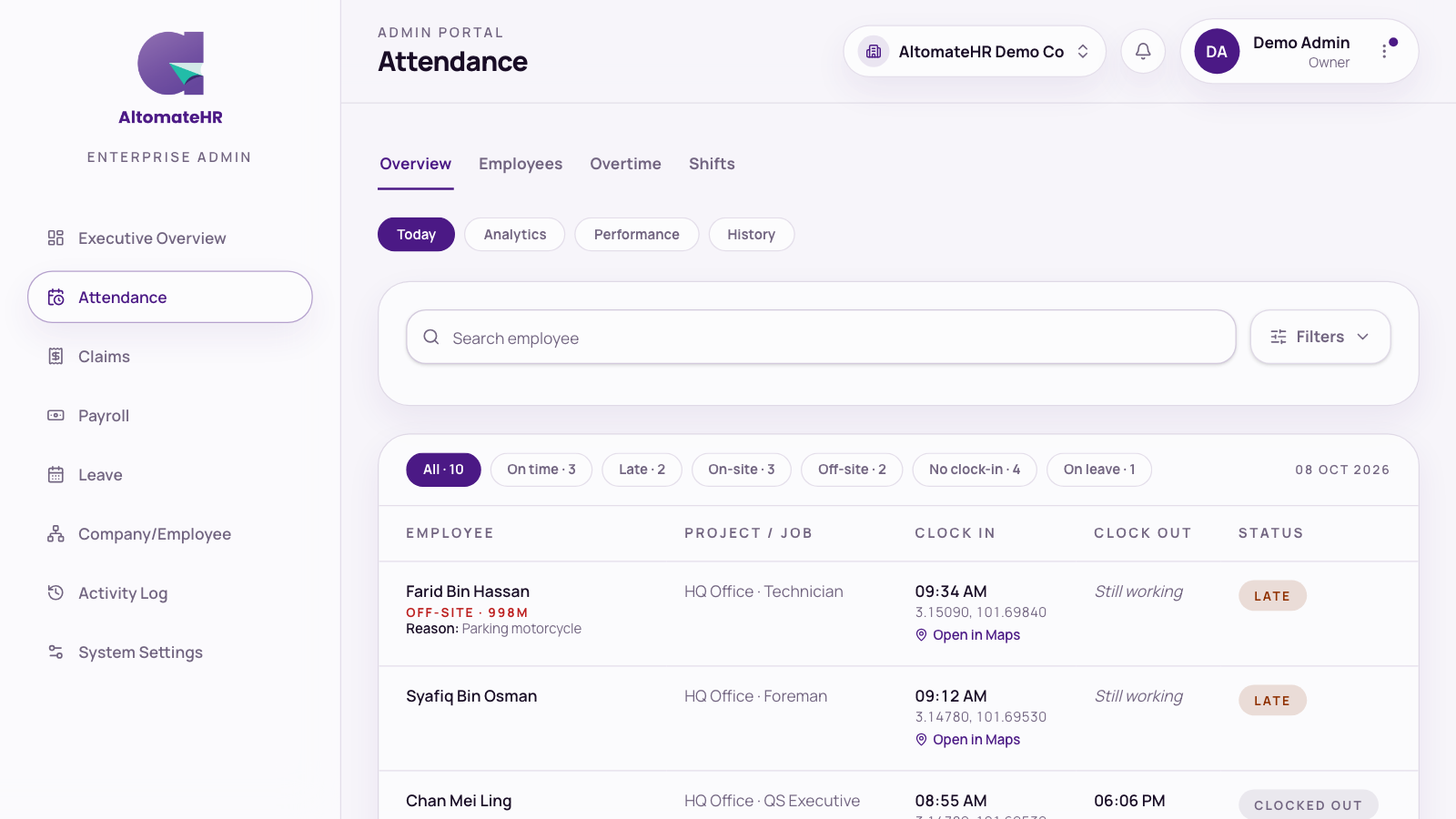
Attendance is an add-on module. Staff clock in from their phones; you see the whole company’s day under Attendance, in four tabs.
Overview
- Today: the roll call, with live counts for On time, Late, On-site, Off-site, No clock-in and On leave. Click a count to filter. Off-site rows show how far away the person was and the reason they gave, with photos and a map link.
- Analytics: hours worked against the schedule, including time beyond the shift, approved OT, rest days and holidays.
- Performance: how long each supervisor takes to decide.
- History: the approval trail and attendance records, exportable as CSV, XLSX or PDF.
Filter by project, team or name, and pick a date range. Only staff (employees and supervisors) are listed.
Employees
A card per person. Open one to see their year at a glance, a heatmap of on-time, late, absent and leave days, plus hours worked, recent attendance and PDF exports.
Overtime
Every overtime submission with its before-work and after-work photos or PDFs, filterable by status. This view is read-only: supervisors approve overtime from their own queue.
Shifts
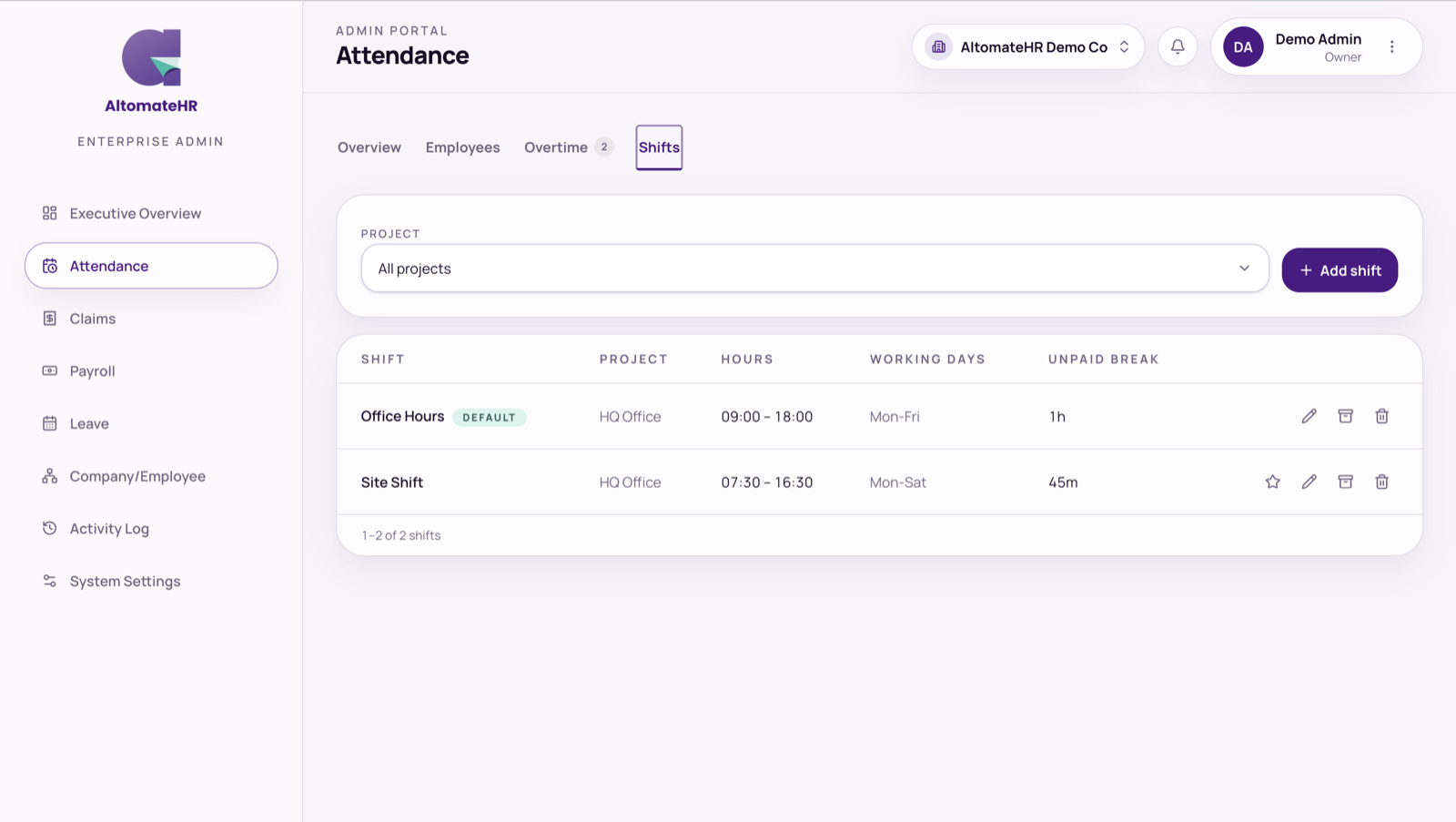
Define shifts per project (for example Day, 8:00 to 17:00), with working days and unpaid break minutes. Whether someone is late, and how many hours they were expected to work, comes from their shift.
Related help
- Where staff can clock in is set per project (geofence and IP allowlist). See How to Set Up Your Company.
- Approved overtime flows into that month’s payroll. See How to Run Monthly Payroll.


