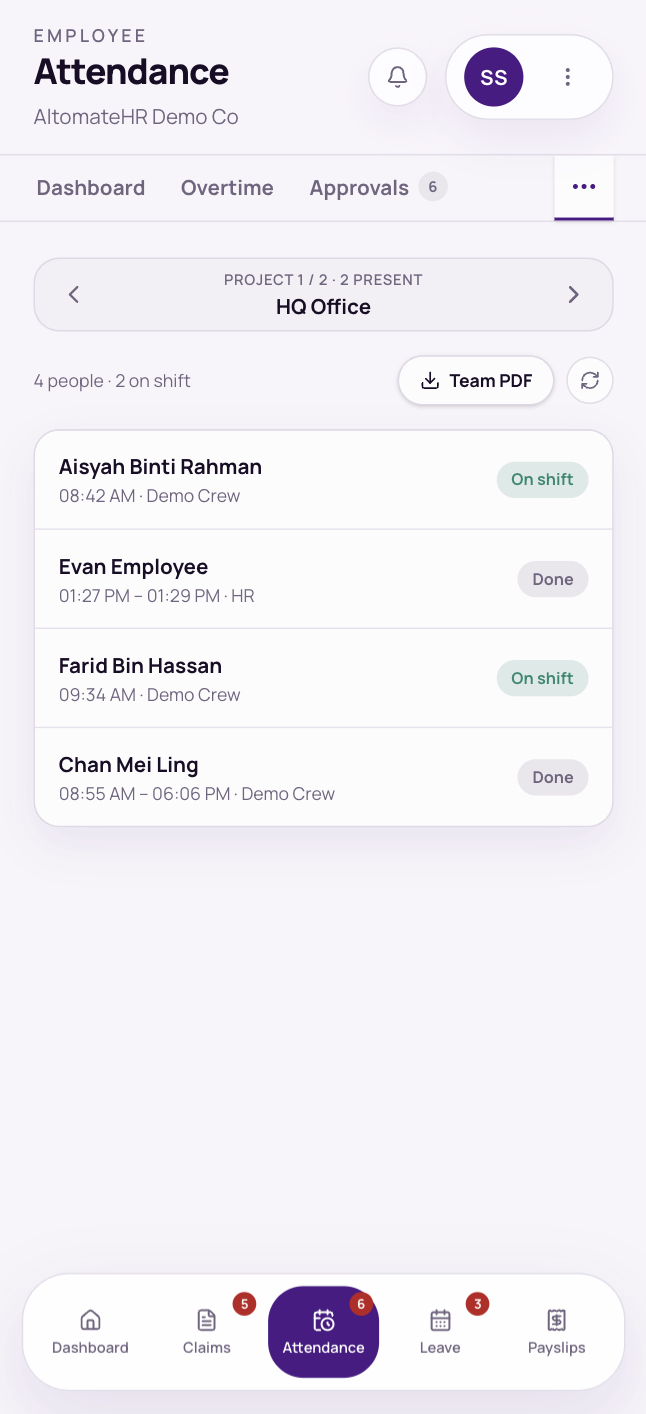

If you’re a supervisor, requests from your team come to you. Red badges on the tabs show how many are waiting, and the Dashboard has a card for each queue.
Where to find each queue
- Claims: Claims, then Claims queue
- Leave: Leave, then Approvals
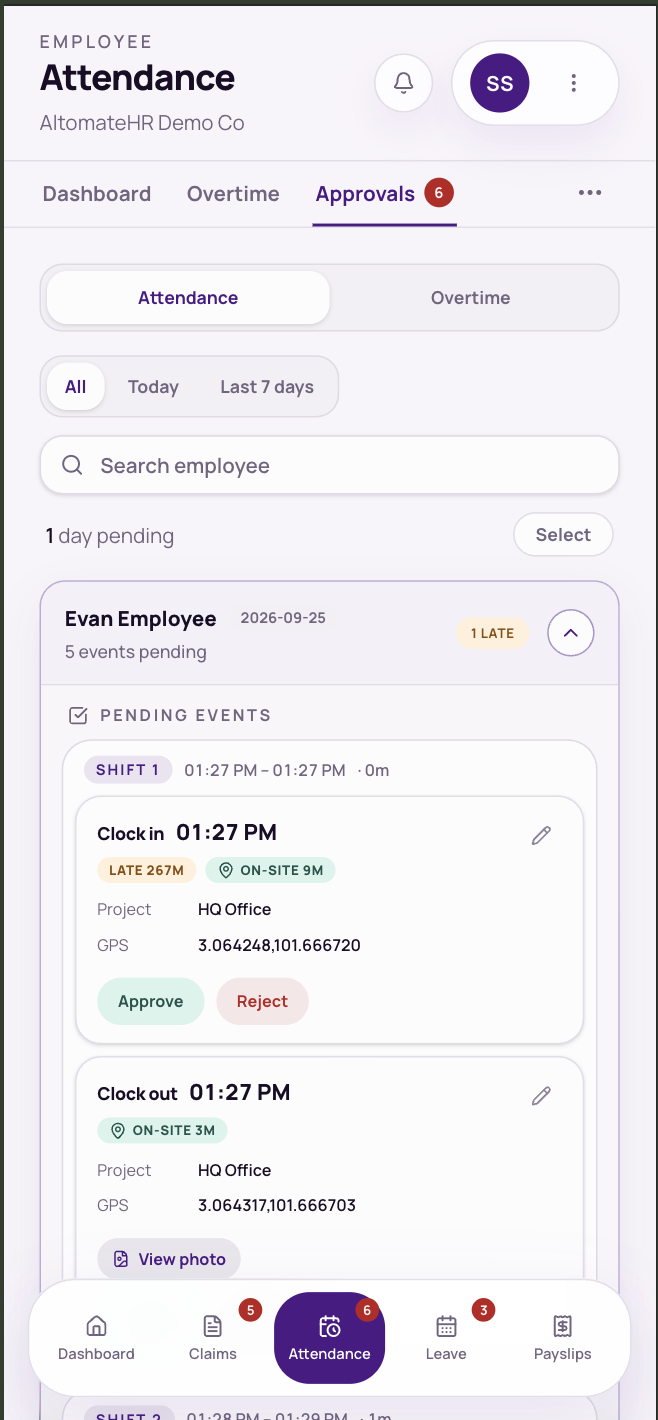
- Clock-ins, clock-outs and time corrections: Attendance, then Approvals, then Attendance
- Overtime: Attendance, then Approvals, then Overtime
Approve or reject
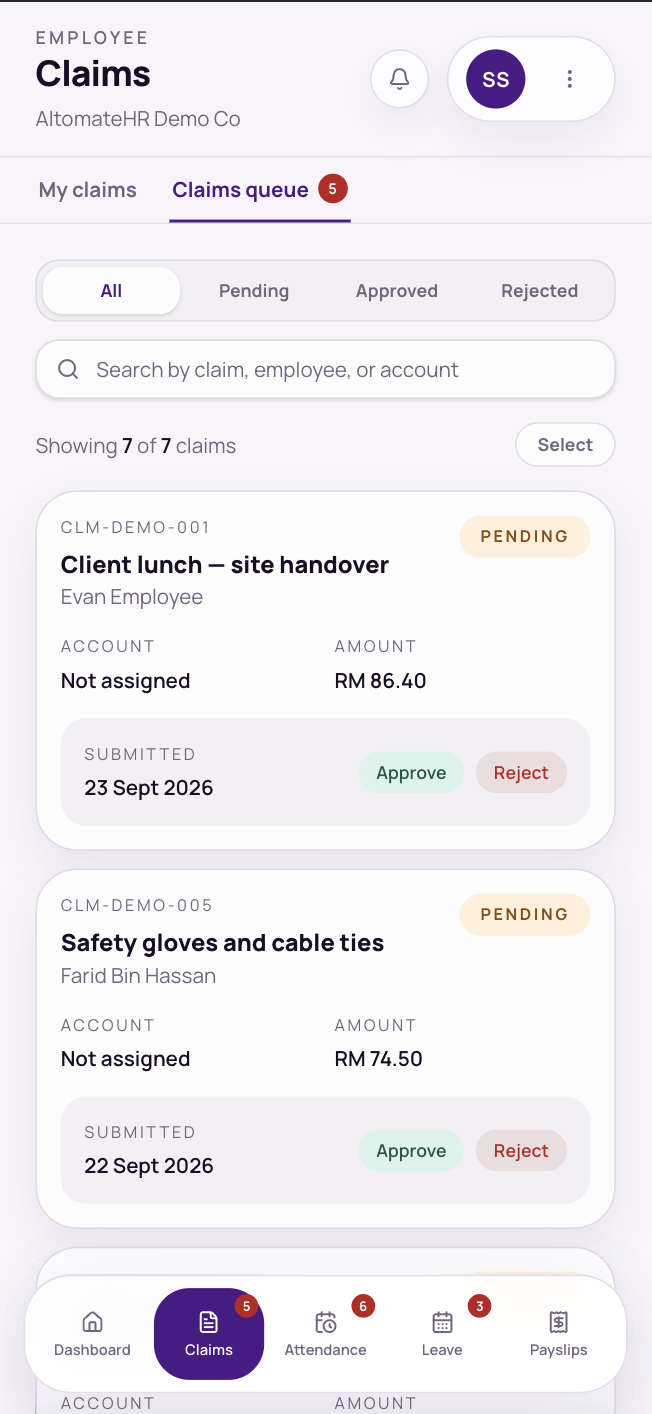
- Tap Approve or Reject on each request. Rejecting always asks for a reason, which your team member sees.
- To approve several at once, tap Select, pick them (or Select all), and approve together. Rejections are always one at a time.
- A claim over its spend limit has to be approved on its own.
- Overtime can only be approved once an after-work photo or file is attached. You can open every before and after file from the request.
- For attendance, you see each shift with its location (on-site or off-site), any note and photo, and any corrected clock-out time.
- For leave, you see who else is off in the same period.
If your company has more than one level of approval, your approval passes the request to the next level. If something isn’t yours to decide, the row says who it’s with.
Leave cancellation requests
When someone asks to cancel approved leave, it appears in Leave, then Approvals, tagged Cancellation request, with their reason. Tap Approve cancellation or Decline (a reason is required). These are decided one at a time.
Your team’s day and balances
- Attendance, then Team: who’s on shift, done or not in, one project at a time, with a team PDF.
- Leave, then Team Balances: your team’s remaining leave by type, for any year.