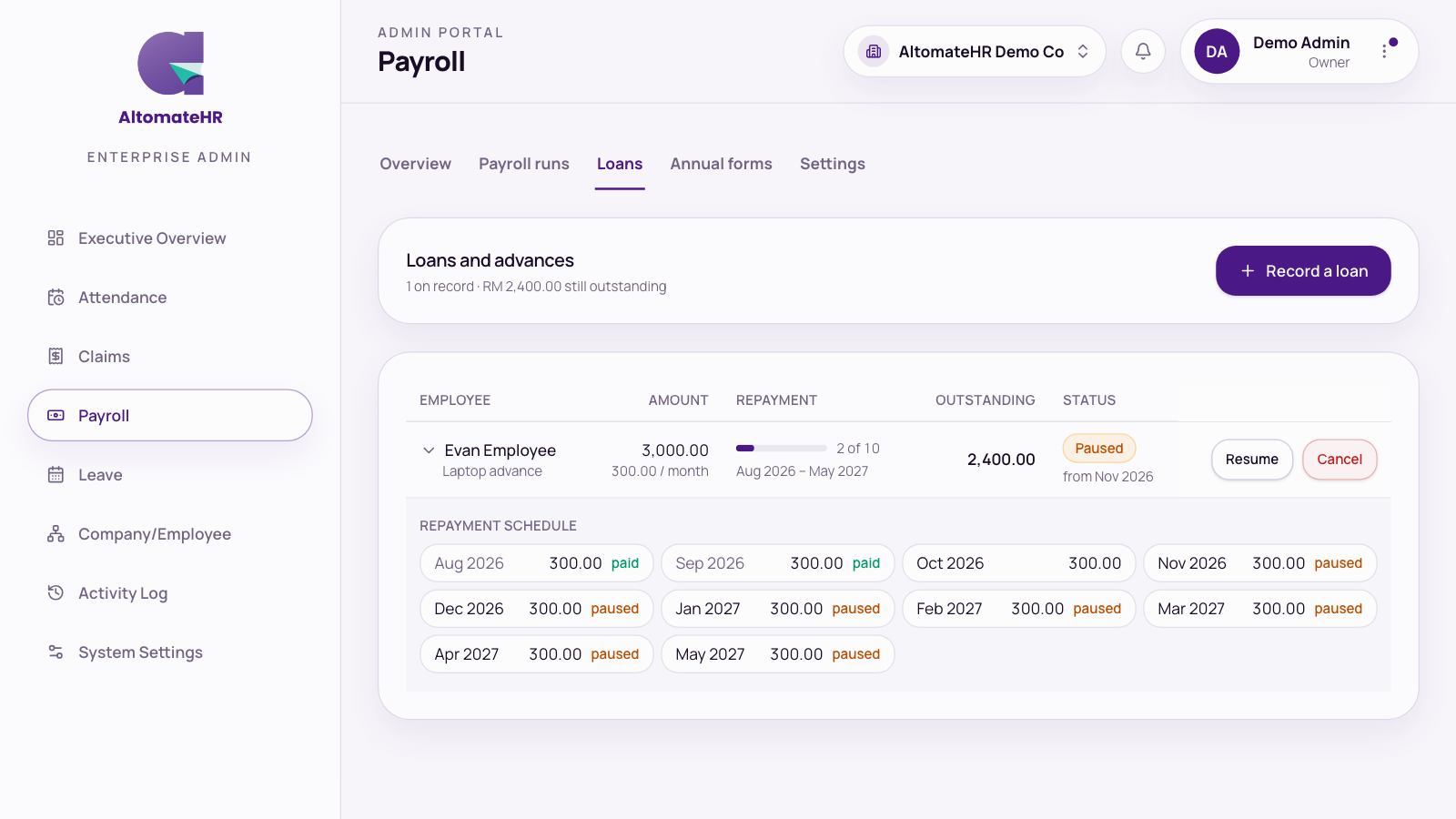

Go to Payroll, then Loans.
Record a loan
- Pick the employee and enter the amount.
- Choose to repay it over a number of months, or a fixed amount each month, starting from the month you choose.
Each pay run deducts the instalment by itself. The table shows what’s outstanding and the repayment schedule. You’ll see a warning if repayments run past the employee’s leaving date, or if their loans together are over half their monthly salary.
A loan can only be recorded for someone whose payroll details are saved.
Change a loan that’s being repaid
Once repayments have started, the amount lent and the months already filed are locked, but you can change what’s left:
- Re-plan: spread the balance over a number of months, set a fixed monthly amount, set each month, or settle it all in the next payroll.
- Pause: skip a number of months, or pause until you resume it. Nothing is forgiven: the loan simply ends later.
- Resume: choose the month to start deducting again.
- Cancel: stop the remaining deductions.
Months already submitted or awaiting approval can’t change. The page tells you the earliest month that can.