


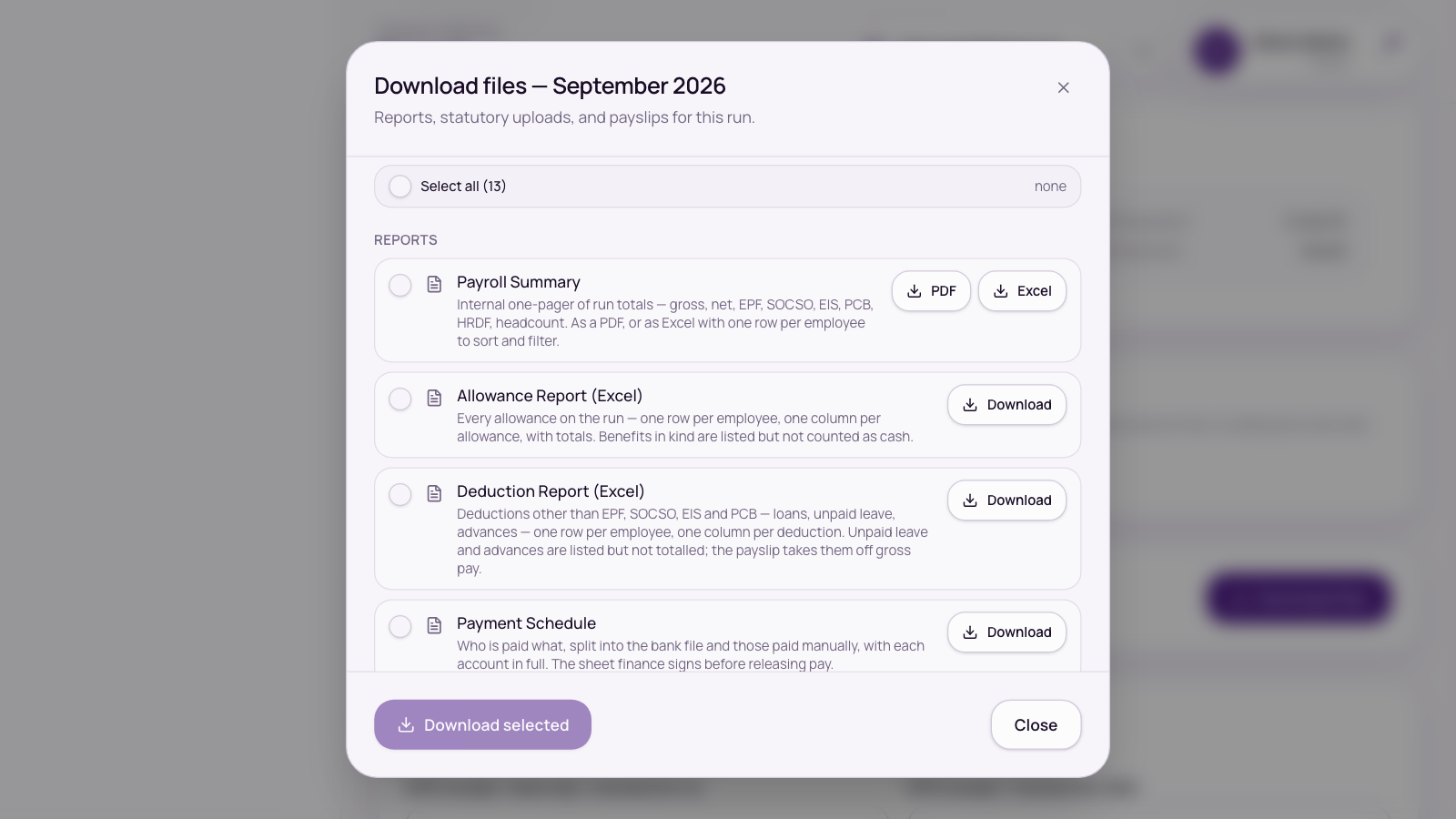
Once a pay run is approved, Documents and files opens on the run. Tick what you need and press Download selected.
What you can download
Reports (for your records and your approver)
- Payroll Summary as PDF or Excel. The Excel file has Summary, Totals and Breakdown sheets; the Breakdown sheet has one column per pay item.
- Payment Schedule: who is paid what, split into the bank file and those paid manually.
- PCB Calculation Details, Allowance Report and Deduction Report.
Statutory files
- EPF Contribution CSV: upload to KWSP i-Akaun.
- SOCSO + EIS + SKBBK Contribution TXT (ASSIST 2.0): upload to PERKESO ASSIST. The older SOCSO + EIS TXT (v1) is also offered for earlier months; check PERKESO’s current guidance before using it.
- PCB / MTD TXT (CP39): upload to LHDN e-PCB. The file is named with your employer number, month and year.
- TP1 / TP3 Claims List: for your records, everyone who claimed reliefs on Borang PCB/TP1 this month or declared a previous employer on TP3.
Payslips
- Bulk payslips (a ZIP of PDFs), or Email all to send each employee their payslip. Email all asks you to confirm first: payslips can’t be recalled once sent.
- Individual payslips and each person’s Borang PCB/TP1 can be downloaded from their row.
Bank
- The bulk payment file for your payroll bank, and Manual Payments (Excel) for everyone the bank file doesn’t pay.
Upload the PCB file under its own name: LHDN’s e-PCB upload only accepts file names made of letters and digits. If you download the file twice, your browser may save the second copy with “(1)” in the name, which LHDN refuses. Rename it or use the first copy.
The bank file follows your bank
- Public Bank: ECP Bulk Payroll (.xlsx)
- Maybank: Maybank2E universal payment file (.txt)
- CIMB: BizChannel@CIMB bulk payroll (Excel), for IC and passport holders in one file. Upload it under Bulk Payments in BizChannel@CIMB.
- Hong Leong: ConnectFirst, plus a ConnectBiz template
Set the payment date before downloading (CIMB sets it in BizChannel instead). Your payroll bank is set in Payroll settings. If it’s set to Other, no bank file is produced.
Only employees paid by Bank transfer are in the bank file. Manual Payments lists everyone else (other banks and e-wallets, cash, cheque, and anyone missing bank details). The bank file and Manual Payments together add up to the run’s total net pay, so nobody is missed.
Common questions
The bank file was refused.
A bank setting is missing in Payroll settings, someone’s account number has no digits (or is longer than 16 digits for CIMB), or an employee’s bank isn’t recognised. Pick their bank from the list on their record, or set their payout method to a manual one, then download again.
The EPF file was refused.
The message names each person whose EPF number isn’t digits only. Fix it on their Statutory tab and download again. You don’t need to re-run payroll.


