


AltomateHR Payroll Software Malaysia
Payroll Software for Startups & SMEs in Malaysia
- Payroll calculations
- Leave management
- Clock in/clock out
- Expense claim
- Loan repayment tracking
- Email payslips (password-protected PDF)
- EPF, SOCSO, EIS, PCB statutory files
- Form EA, E & CP8D
- Employee movement (CP22, CP22A & CP21)
- Executive overview
- Multiple admin roles
- Per-module admin access
- Employee app
- Xero integration
- API access
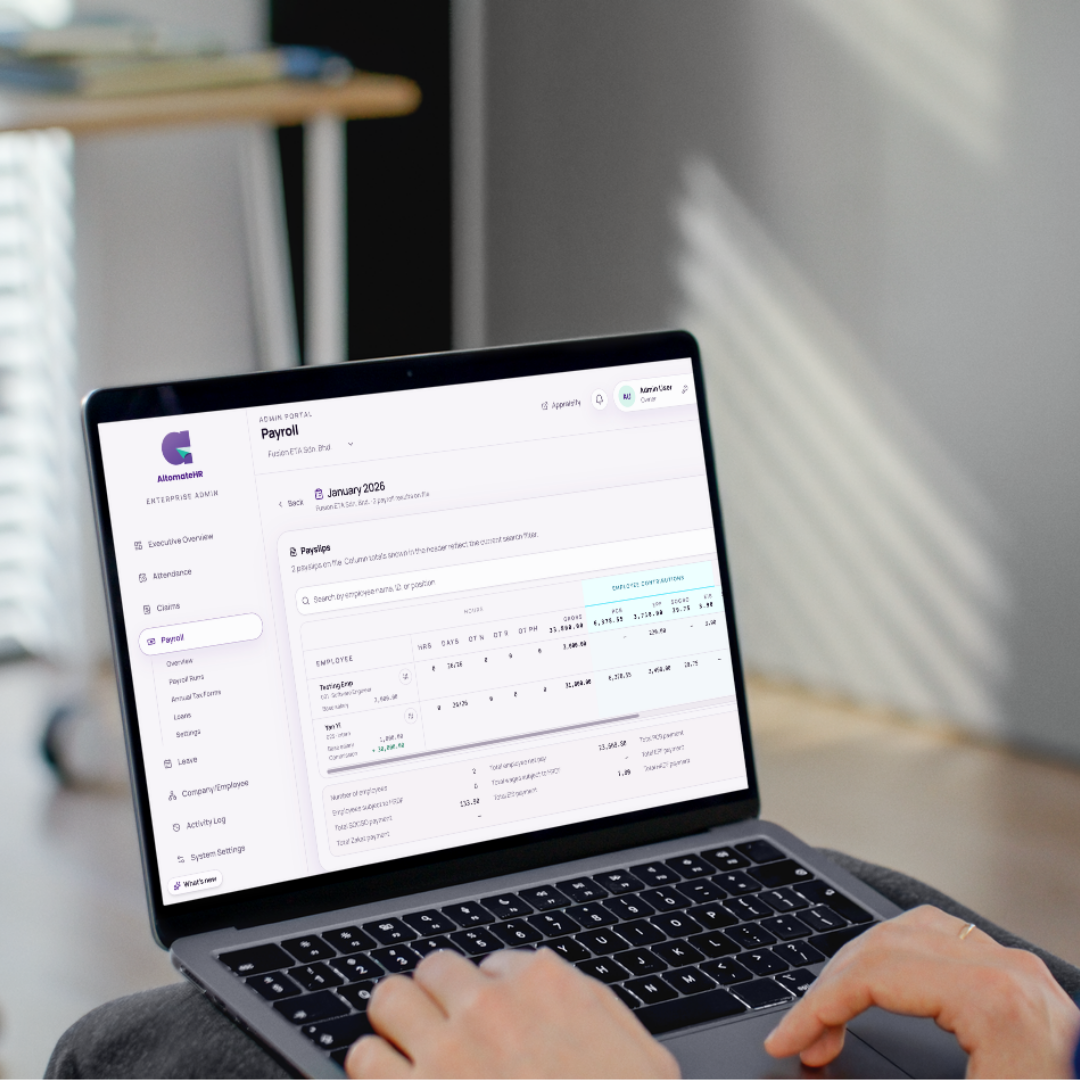
- Start Mid-Year Without Breaking PCB
- Bulk Employee Import
- Worry-free Compliance
Use AltomateHR To Handle Leave, Attendance & Claims
See how AltomateHR changes your monthly payroll run:
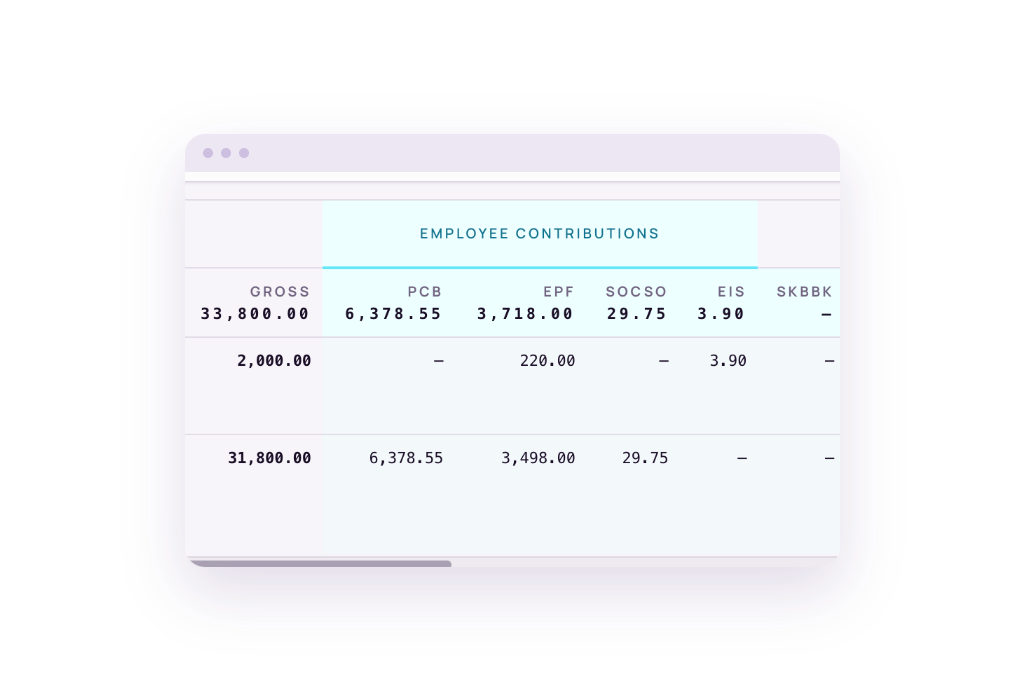
Accurate Figures, Up to Date With Every Compliance Change
Payroll spreadsheet with hand-keyed EPF and PCB tables.
AltomateHR computes every statutory line from the latest published schedules and shows its working.
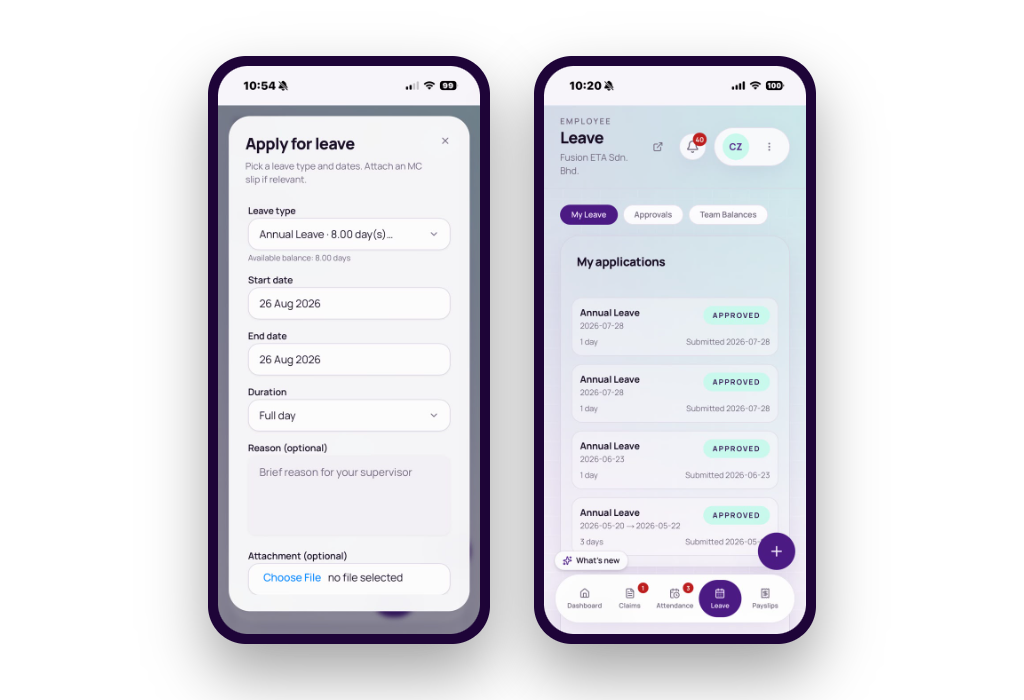
Convenient Leave Management
Paper leave forms and a shared leave calendar.
AltomateHR sends each request to the right approver, updates the balance, and tracks days carried over.
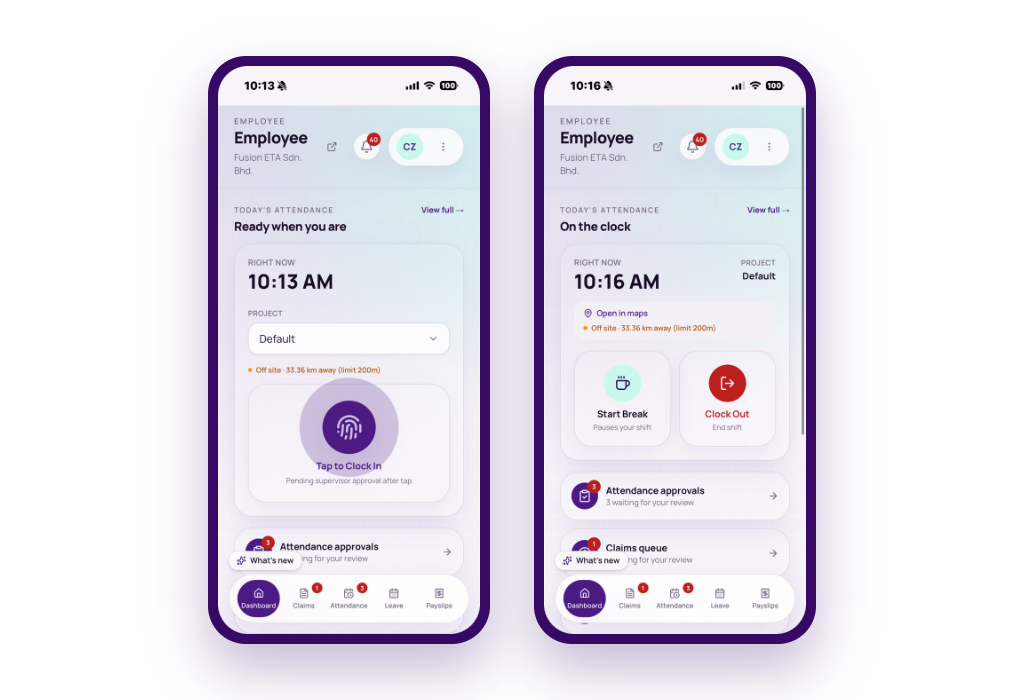
Clock In / Clock Out
A punch card machine or a signed-in sheet.
Staff clock in from the employee app, and their supervisor approves each one, with any off-site reason and photo.
Altomate Payroll Outsourcing Services Malaysia
- Run monthly payroll - salary, EPF, SOCSO, EIS, PCB, HRD Corp, payslips & bank file
- Get your sign-off on every payroll run
- Prepare & submit monthly/annual statutory filings
- Handle hiring & offboarding paperwork
- Dedicated account manager

Handles Expense Claims
You sort and file photographed receipts sent to you in the WhatsApp group.
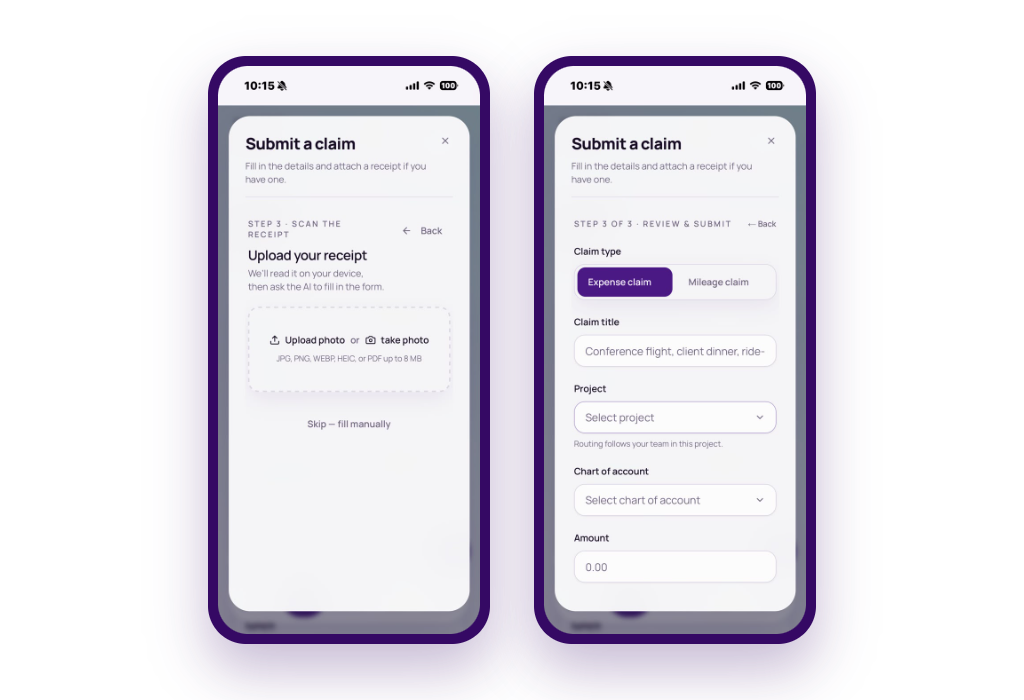
Staff submit claims using the employee app.
AltomateHR's claim wizard reads the receipt and files it against the right account.
Bulk-Upload Files For Statutory Filings
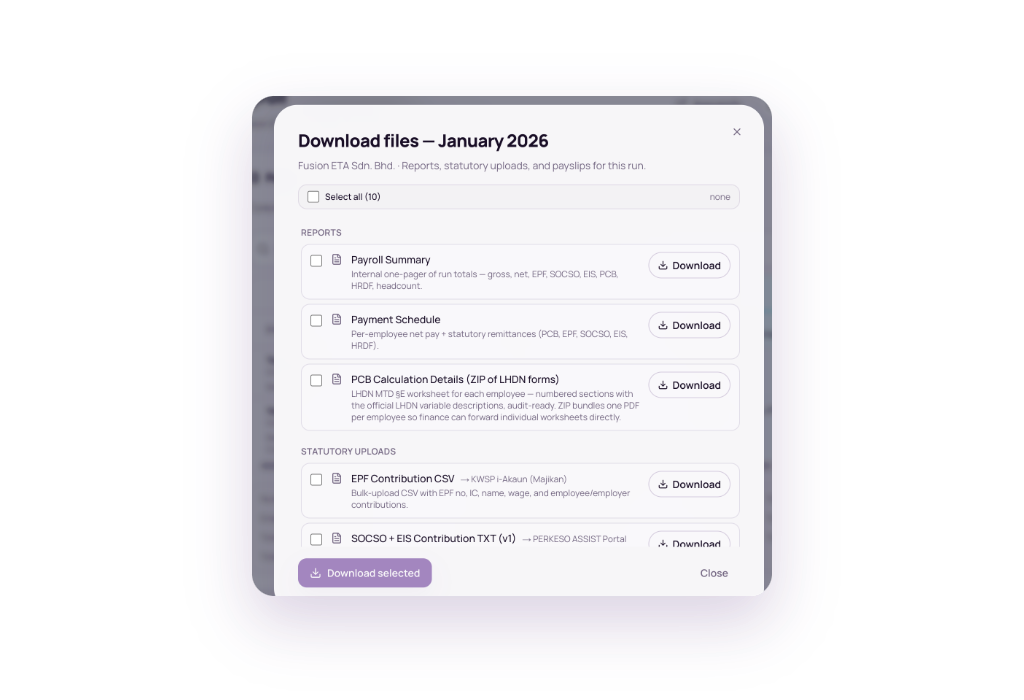
You retype figures into KWSP i-Akaun, PERKESO ASSIST and LHDN e-PCB
AltomateHR creates bulk-upload files for you to upload to each portal: KWSP i-Akaun, PERKESO ASSIST and LHDN e-PCB.
Email Payslips To Staff With One Click
You email payslips one at a time.
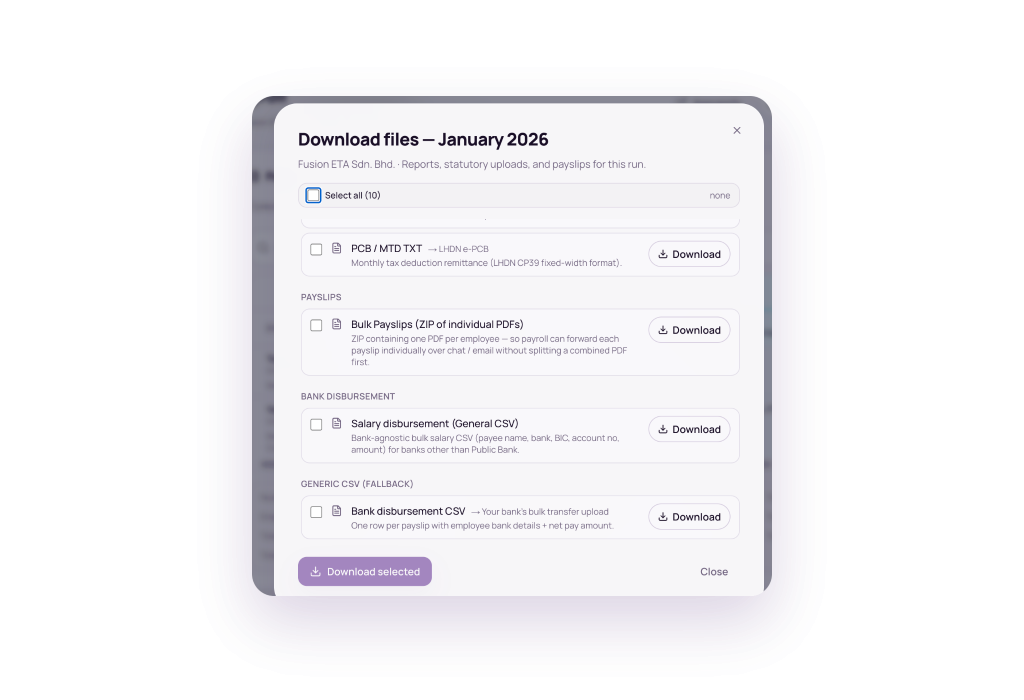
AltomateHR creates password-protected payslip PDFs once the run is approved.
Download them as a zip, or email each employee theirs with one click.
Bank File to Quickly Disburse Payments
You key each salary payment into the bank, one employee at a time.
AltomateHR generates a bank file with employees' bank details and amount.
Upload it to your bank to make bulk payments.
You See the Whole Payroll, Staff See Their Own Payslips & Leave Balance
Admin Portal
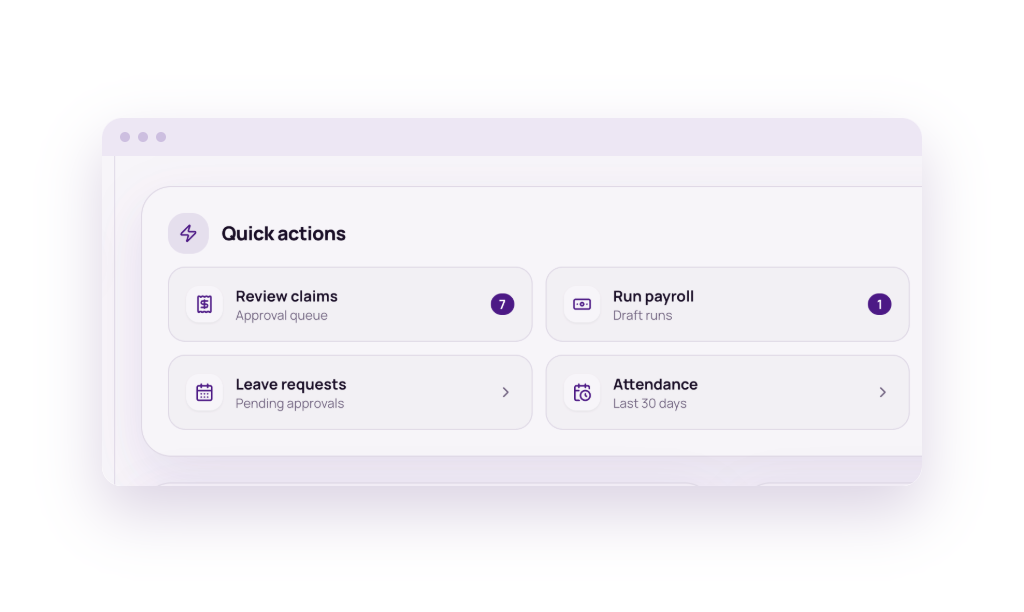
You see the whole company here: every employee’s gross pay, what comes off it, what you pay on top, and what each person costs in total.
This is where:
- you run your payroll.
- your accountant opens the Payroll and Claims module.
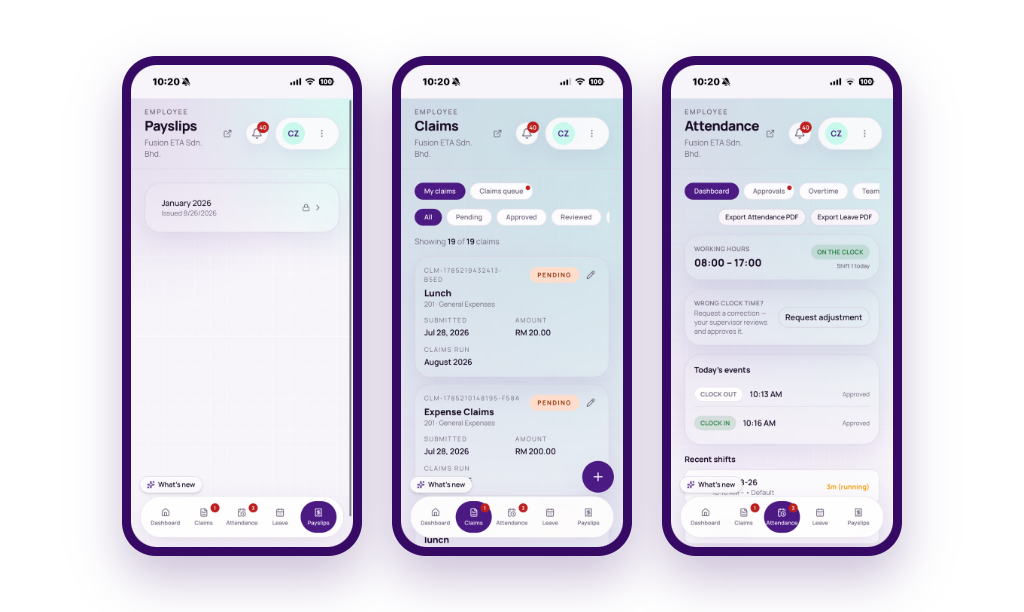
Your staff sees every payslip they have been issued, how many leave days they have left, expense claims and attendance.
This is where:
- your staff pull any payslip they have been issued.
- your staff clocks in/clocks out.
- your supervisors approve leave/claim for their team.
Flexible Plans for Any Business Size

DIY Free
Payroll software for a small team.
Free
What is included:
- Payroll calculations
- Leave management
- Payroll reports & exports
- Email payslips (password-protected PDF)
- Employee app
- Multiple admin users, per-module access
- Xero integration
- API access
- Help center support

DIY Paid
Payroll software for a growing startup or SME.
RM 30/mo
subject to 8% SST
Optional add-ons:
RM3/employee/mo
RM3/employee/mo
What is included:
- Everything in DIY Free
- Bank payment files
- Employee movement – CP22, CP22A & CP21
- Bulk-upload statutory files – EPF, SOCSO, EIS & CP39
- Year-end processing – Form E, EA, & CP8D

Expert
Payroll service for businesses on a standard corporate schedule.
- We run monthly payroll for you - salary, EPF, SOCSO, EIS, PCB, HRD Corp, payslips & bank file
- We get your sign-off on every payroll run
- We prepare & submit monthly/annual statutory filings
- We handle hiring & offboarding paperwork
- Dedicated account manager
- AltomateHR subscription included
- Optional one-time payroll setup – EPF, SOCSO, PERKESO EIS, PCB, HRD Corp registration
- And more...
Get AltomateHR Today
And run next month’s payroll with confidence and ease.
- Payroll calculations
- Leave management
- Clock in/clock out
- Expense claim
- Loan repayment tracking
- Email payslips (password-protected PDF)
- EPF, SOCSO, EIS, PCB statutory files
- Form EA, E & CP8D
- Employee movement (CP22, CP22A & CP21)
- Executive overview
- Multiple admin roles
- Per-module admin access
- Employee app
- Xero integration
- API access
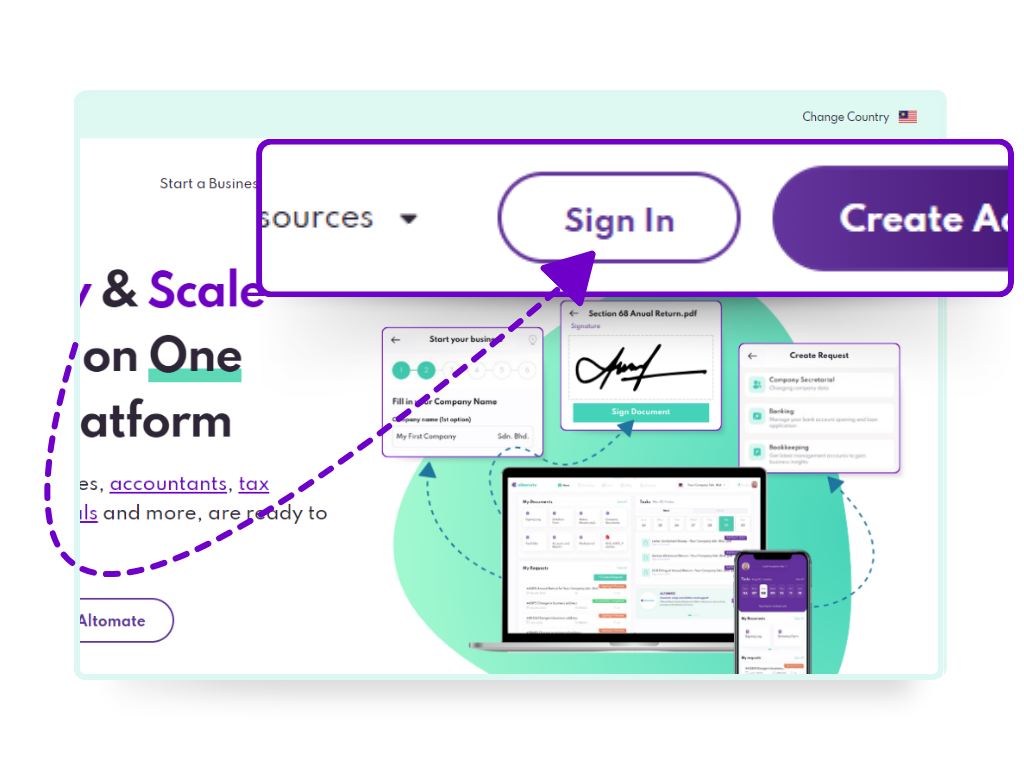
1. Create an Altomate account.
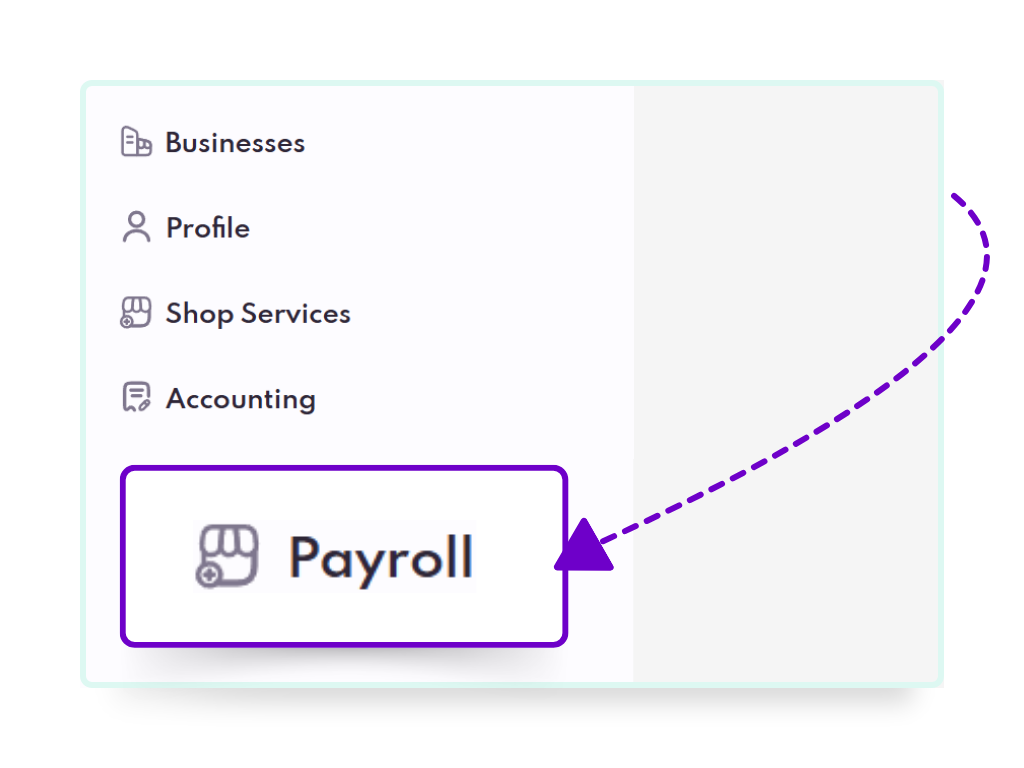
2. Go to Payroll tab.
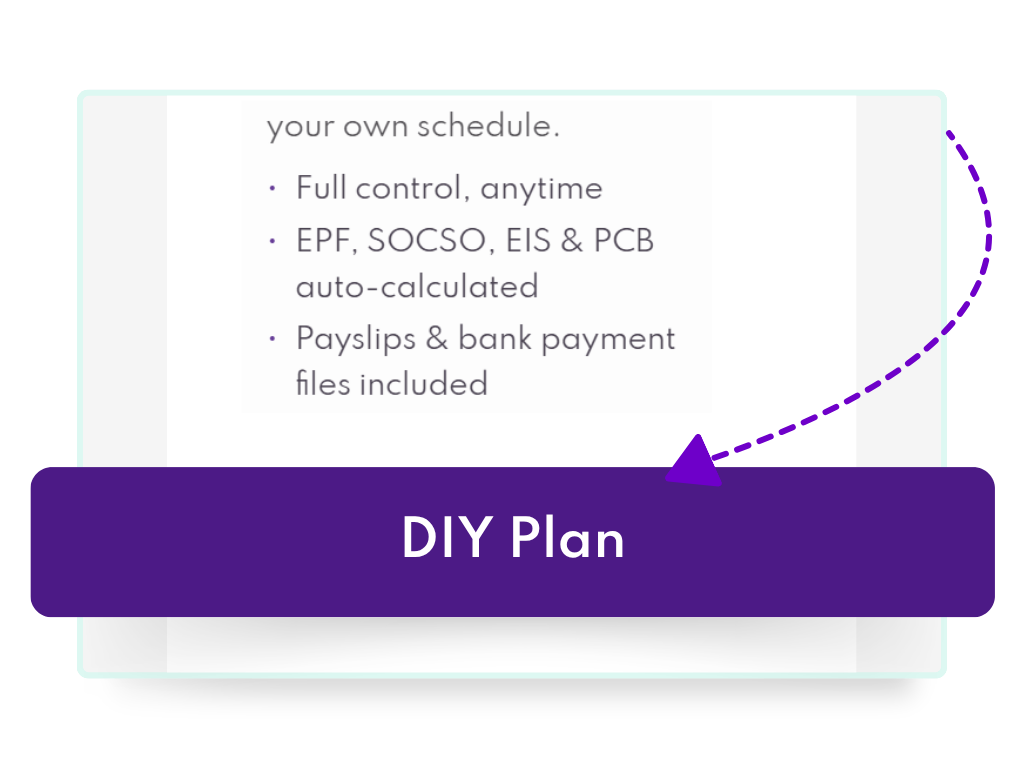
3. Select DIY plan.
- Start Mid-Year Without Breaking PCB
- Bulk Employee Import
- Worry-free Compliance
Frequently Asked Questions
Yes. DIY Free is RM0.
It includes payroll calculation, leave management, and payslips.
It is limited to 3 staff only. And does not include bank files, monthly statutory upload files, Form E and Form EA.
The plan moves to DIY Paid automatically, so payroll keeps running rather than stopping.
The change shows in your Payroll Hub and on the next bill. At four staff that is RM40 a month, before 8% SST.
Yes, it is required for AltomateHR to create the statutory files without employer numbers.
You can still complete payroll runs and issue payslips without them. But the statutory files with missing employer numbers will not be created.
It is included on the free plan. Balances, accruals, carry-over and approvals all work, and the balance on screen already deducts anything applied for and not yet approved.
Yes. Upload the spreadsheet you already have into AltomateHR. It will figure out each column and import your employees into the company.
Figures already paid and deducted this year will also be imported, so PCB continues from what was already deducted instead of restarting.
The same import carries your opening leave balances, so leave does not reset either.
CIMB, Hong Leong Bank, Maybank and Public Bank, including their Islamic entities. More banks are being added.
Pick your bank in Payroll Settings and the run produces the file in that bank’s own format, with every employee’s bank code filled in.
If you bank somewhere else, a Payment Schedule report will be provided so you can key in the payments in yourself.
AltomateHR builds Form EA, Form E and CP8D from the runs you already approved.
For DIY Paid plan subscribers, we recommend checking if everything is in order before distributing to staff and submitting to LHDN.
For Expert plan subscribers, we will review the documents for you before filing them for you.
Year end statutory files are not available on DIY Free plan.
Yes, staff can access every payslip that has been issued to them in AltomateHR (employee app).
Yes. Admin access is per module, per person, so one administrator can be limited to payroll without ever seeing the leave records, and a company can have more than one administrator.
If a bill goes unpaid, access to AltomateHR is disabled.
Your data remains completely untouched throughout, and full access returns the moment payment is confirmed.


